AI Real Estate Photo Editing: How It Works and What to Check
Facts checked on October 20, 2026
AI real estate photo editing uses image models to do in seconds what an editor does by hand: correct exposure, white balance and color, remove clutter and personal items, and upscale photos to a high resolution. You upload listing photos, the AI edits them, and you review and download. Routine corrections need no disclosure; edits that change the property itself can require a label or be prohibited by your MLS.
What AI editing typically covers
- Light and color: Exposure, white balance, color correction and sharpening: routine edits MLS rules generally allow.
- Clutter removal: Erasing temporary items such as dishes, papers and cords.
- Upscaling: Enlarging photos to a higher resolution (The Magic Hand outputs up to 4K).
- Listing video: Turning still photos into short clips with camera motion.
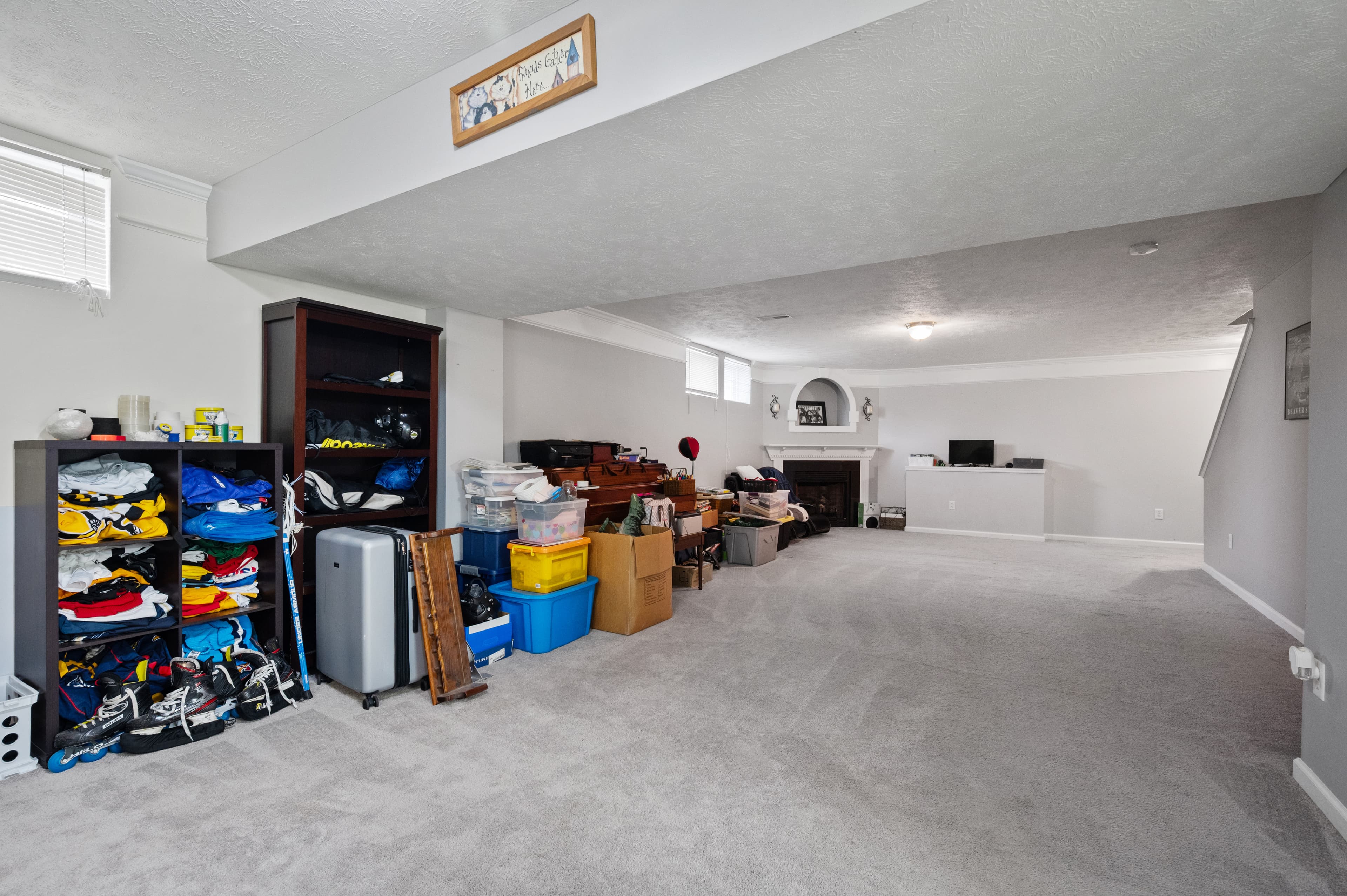 Before
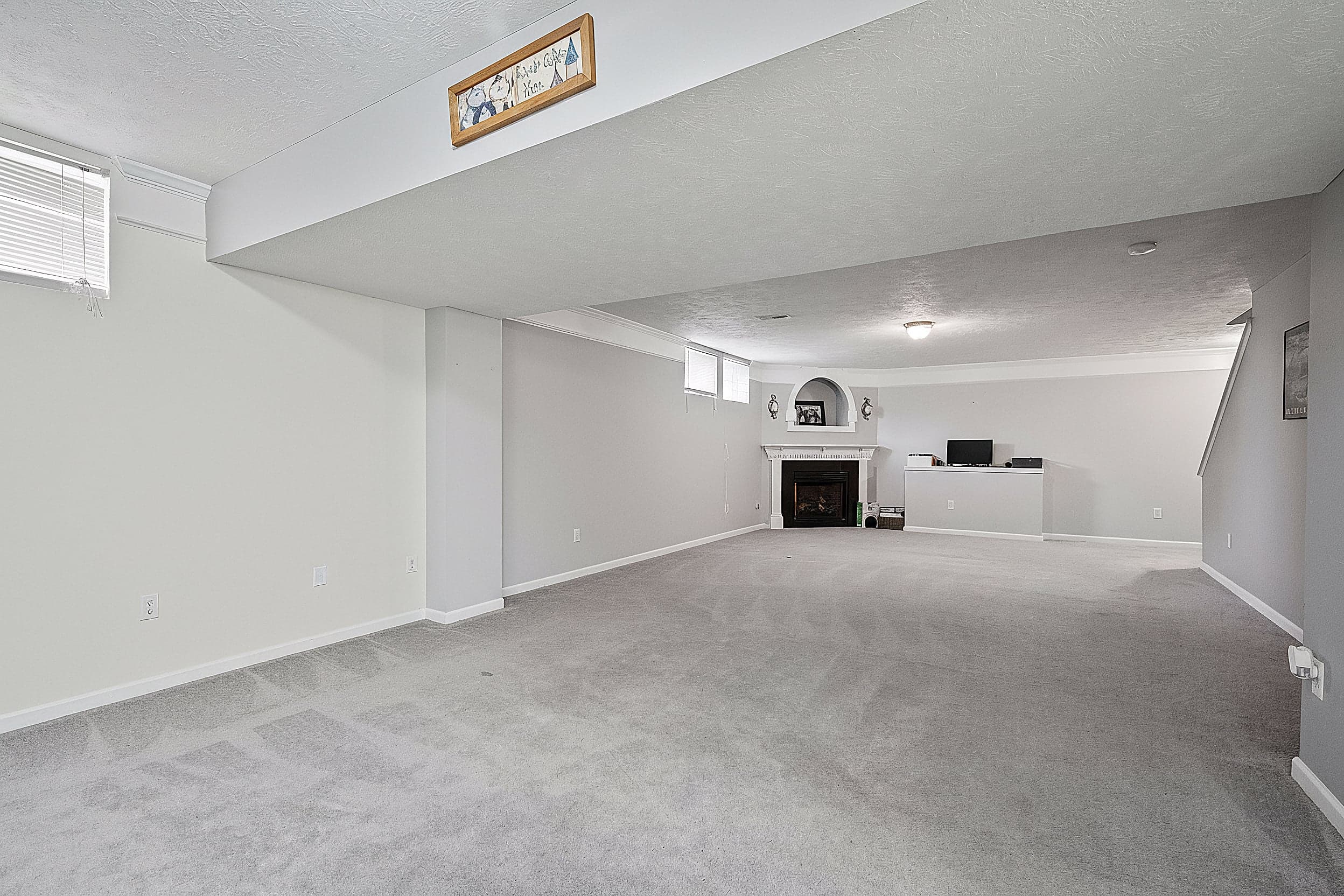 After
AfterHow it works
Modern image models can follow plain-English instructions ("brighten the room, remove the clutter on the counters") and redraw just the parts of a photo that need to change. A typical AI real estate editor runs a fixed set of improvements on every photo, then lets you request specific fixes.
In The Magic Hand, a batch of listing photos is edited by agents specialized for each room type, and custom edits you request are checked by a second AI pass that compares the result to the original and retries when it spots unintended changes (for example, a floor texture that shifted). You can then upscale the result to 4K, edit it again, or turn it into a short listing video.
What to check before you publish
- Look at full size. AI edits fail at the edges: window frames, reflections, patterned rugs and tile.
- Nothing permanent changed. Walls, floors, fixtures, views and the lot should look the way they are.
- Keep originals. Several MLSs require the unaltered photo to be shown next to an altered one, or kept for verification.
- Label what needs a label. California, and many MLSs, require disclosure for edits that change how the property looks. See disclosure rules.
Routine edits vs. alterations
CRMLS describes the routine side clearly: "adjustments to the lighting, sharpening, white balance, color correction, angle, straightening, cropping, and exposure, are allowed as long as they do not change" the representation of the property (CRMLS). Removing furniture that won't convey, staging, or changing the property or its surroundings is where labels and limits begin. More on decluttering photos within the rules.
FAQ
Is AI good enough to edit real estate photos?
For exposure, color correction, clutter removal and upscaling, yes, as long as you review each result at full size. AI edits can occasionally change details they shouldn't, such as a tile pattern or a window frame, so check before you publish.
Do AI-edited real estate photos need to be disclosed?
Routine corrections such as lighting, white balance, exposure and cropping generally don't. Edits that change how the property looks, such as removing furniture that won't convey or altering the property or its surroundings, can require a disclosure under California law and many MLS rules.
How long does AI photo editing take?
Seconds to a couple of minutes per photo, depending on the edit, versus hours to days for a traditional editing service.