How to Declutter Real Estate Photos with AI (and Stay Within MLS Rules)
Facts checked on October 20, 2026
To declutter a listing photo with AI, upload it to an AI editor, ask it to remove the clutter (dishes, papers, toiletries, cords, personal items), and check the result for anything it changed that it shouldn't have. Removing personal items is common; removing furniture that won't convey, or anything permanent like power lines, a lawn or defects, can require a disclosure label or be prohibited by your MLS.
What to remove, and what to leave
- Usually fine: Dishes, papers, toiletries, cords, magnets, toys, trash cans: temporary items that don't convey.
- Label it: Furniture that won't convey. CRMLS treats virtually clearing a room of it as digitally altered.
- Don't remove: Power lines, utility poles, defects, or changes to the lawn and structure. Several MLSs ban these.
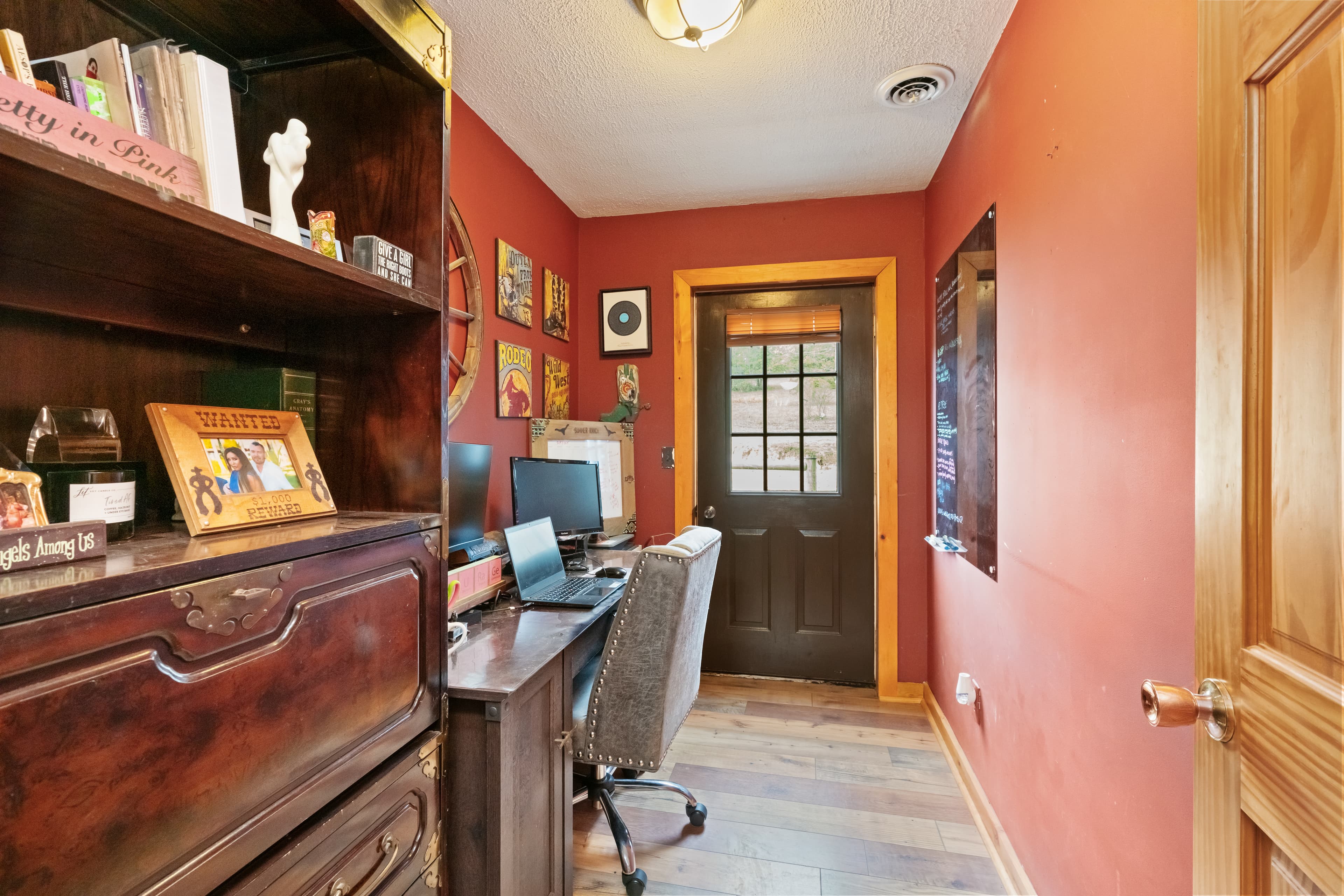 Before
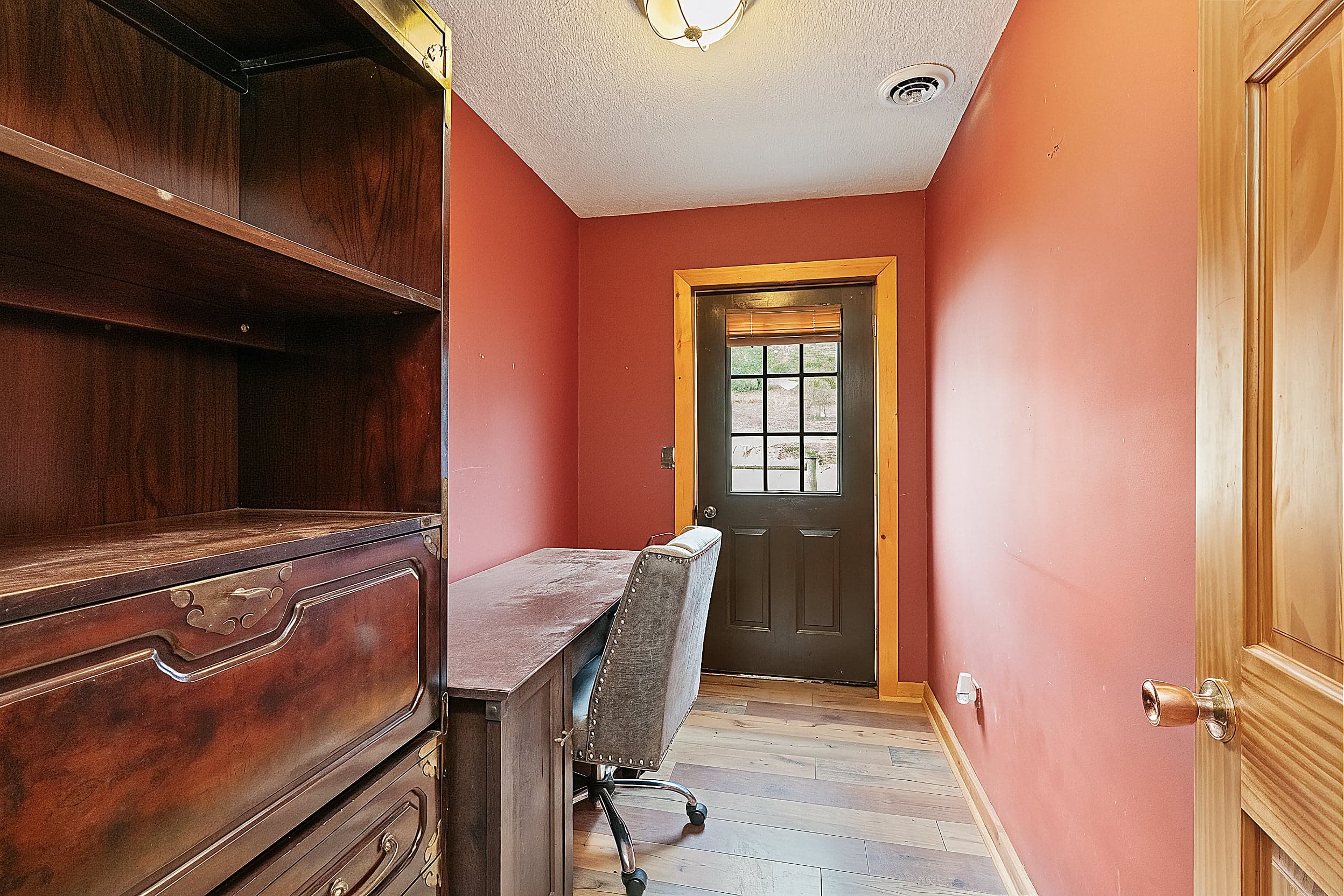 After
AfterHow AI decluttering works
AI object removal erases the things you select (or describe) and fills the space with what would plausibly be behind them, matching the surrounding floor, wall or counter. Good results look untouched; bad ones leave smudges, warped lines, or "invented" details like a changed tile pattern.
In The Magic Hand, decluttering is built to only take things away: it removes clutter and personal items and is instructed not to replace floors, surfaces or fixtures, or add anything new. Custom edits are also checked by a second AI pass that compares the result to the original and retries when it spots unintended changes.
A quick workflow
- Shoot the room as it is, from your best angle, with lights on.
- Upload it and ask for the clutter you want gone: "remove the dishes and papers from the counters, clear the fridge door."
- Compare before and after at full size. Look at edges, reflections and patterned surfaces.
- Keep the original. Several MLS rules require it to be shown or available.
Where the rules draw the line
Removing small personal items is ordinary listing prep. The line is whether the edit changes how the property is represented:
- Furniture. CRMLS says "virtually clearing a room of furniture that will not be included at closing as part of the listed price is also considered digitally altered" (CRMLS), which in California means a label and the original next to it.
- Permanent things. NWMLS lists "removing the power lines, adding a lawn, adding a driveway, or removing any property defects" as manipulation that misrepresents what is for sale (NWMLS). SmartMLS says you may not "remove permanent structures (high power lines, water tower, etc.)" (SmartMLS).
- Defects. MLS Now prohibits "removing/obscuring material defects (e.g., cracks, water damage, mold, wiring, stains)" (MLS Now).
The full list of state laws and MLS rules is in AI-edited listing photo disclosure rules.
FAQ
Can AI remove clutter from real estate photos?
Yes. AI editors can erase objects such as dishes, papers, cords and personal items and fill in the background in seconds. Check each result at full size for smudges or changed details, and keep the original photo.
Do I have to disclose decluttered listing photos?
It depends on what you removed and where you list. Removing small personal items is ordinary prep, but CRMLS treats virtually clearing a room of furniture that won't convey as digitally altered, which in California requires a label and the original image. Check your MLS's rules.
Can I remove power lines from a listing photo?
Many MLSs say no. NWMLS lists removing power lines as misrepresenting what is for sale, and SmartMLS says you may not remove permanent structures such as high power lines. Leave them in unless your MLS explicitly allows it.
Sources
- Digitally Altered Image Guidance & FAQs (CRMLS)
- Real Estate Photography 101 (NWMLS, April 18, 2023)
- Virtually Staged Photos (SmartMLS, September 2, 2026)
- MLS Now Rules: Section 3 – Images, Media & Virtual Staging (MLS Now, September 23, 2026)